
Free Chrome extension for Gmail™
Bulk delete Gmail™ emails in two clicks.
Unpile clears thousands of unwanted emails from your Gmail™ inbox: you see exactly what will go, you can undo in one click, and nothing leaves your browser.
- Free forever
- Nothing leaves your browser
- One-click undo
How it works
A lighter inbox in three steps
Click the Unpile icon: a panel opens on the side of your Chrome window. Connect your Google account once, then let Unpile guide you.
-
Step 1: Choose what to clear
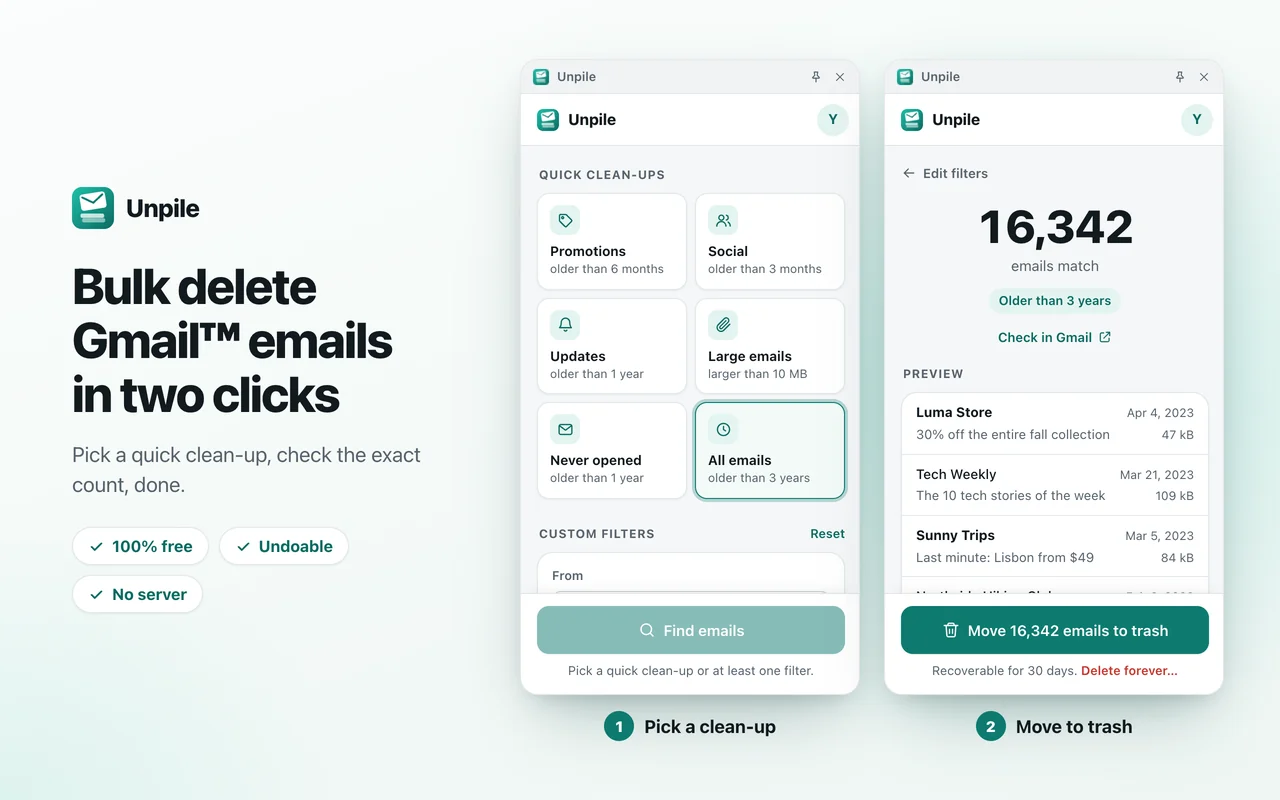
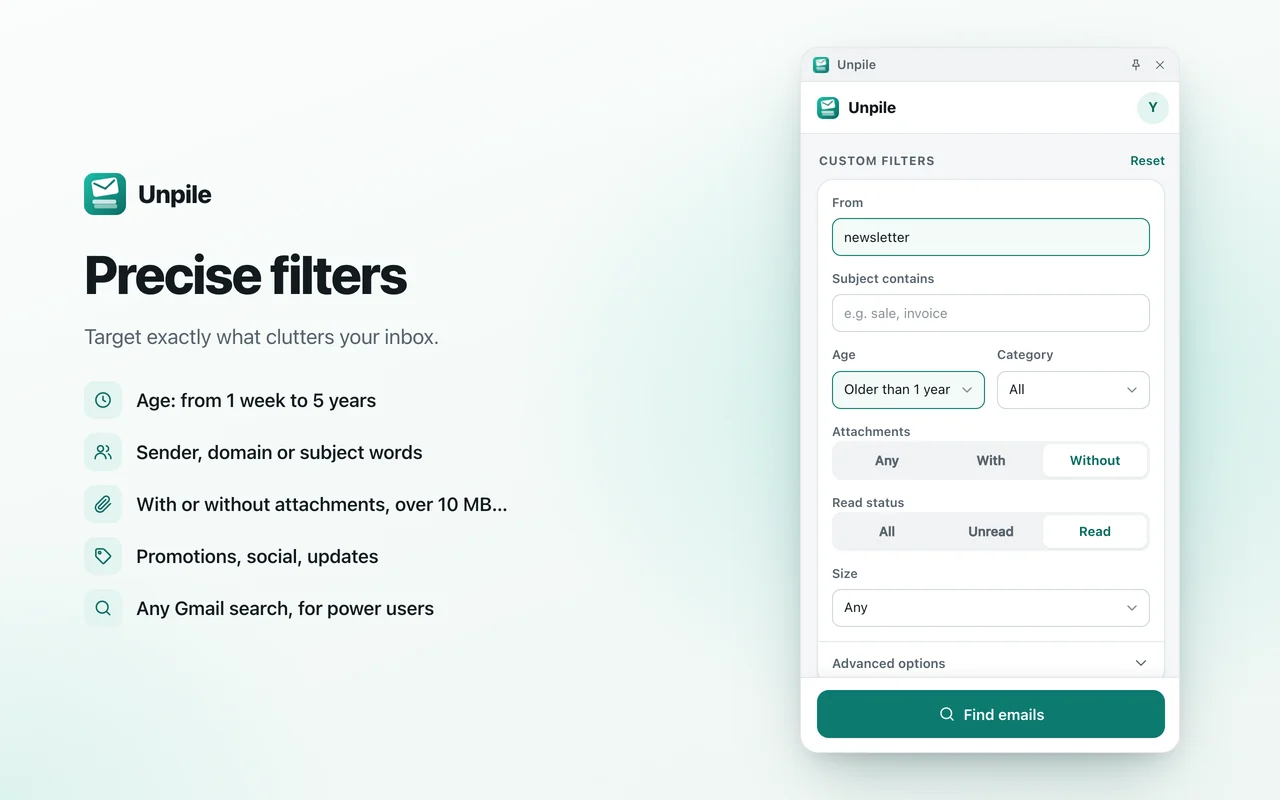
Start from a quick clean-up, or combine your own filters: sender, words in the subject, age, category, attachments, size, read or unread.
- Promotionsolder than 6 months
- Socialolder than 3 months
- Updatesolder than 1 year
- Large emailslarger than 10 MB
- Never openedolder than 1 year
- All emailsolder than 3 years
-
Step 2: Check before you delete
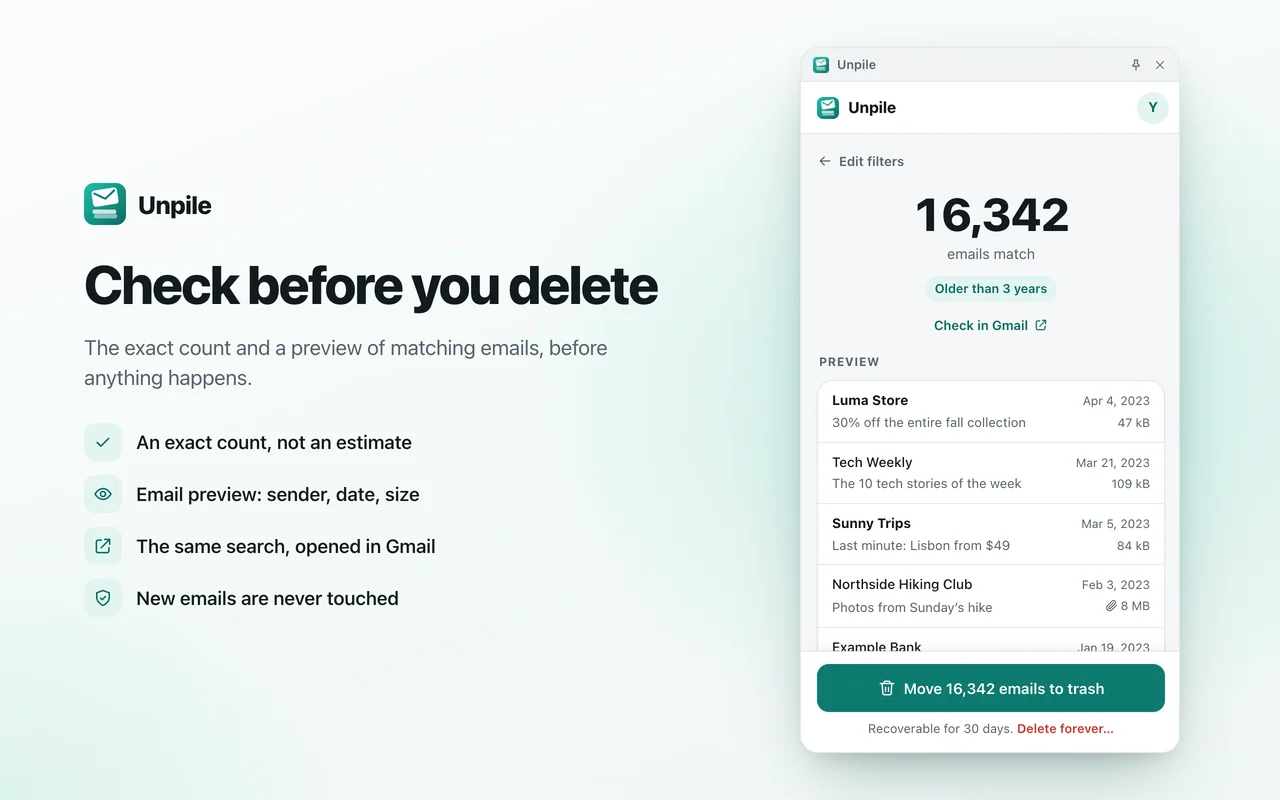
Unpile shows the exact number of matching emails and a preview of the first ten. Want to be sure? “Check in Gmail” opens the same search in Gmail.
- An exact count, not an estimate
- Sender, subject, date and size of the first ten emails
- The same search, one click away in Gmail
-
Step 3: Clean up in one click
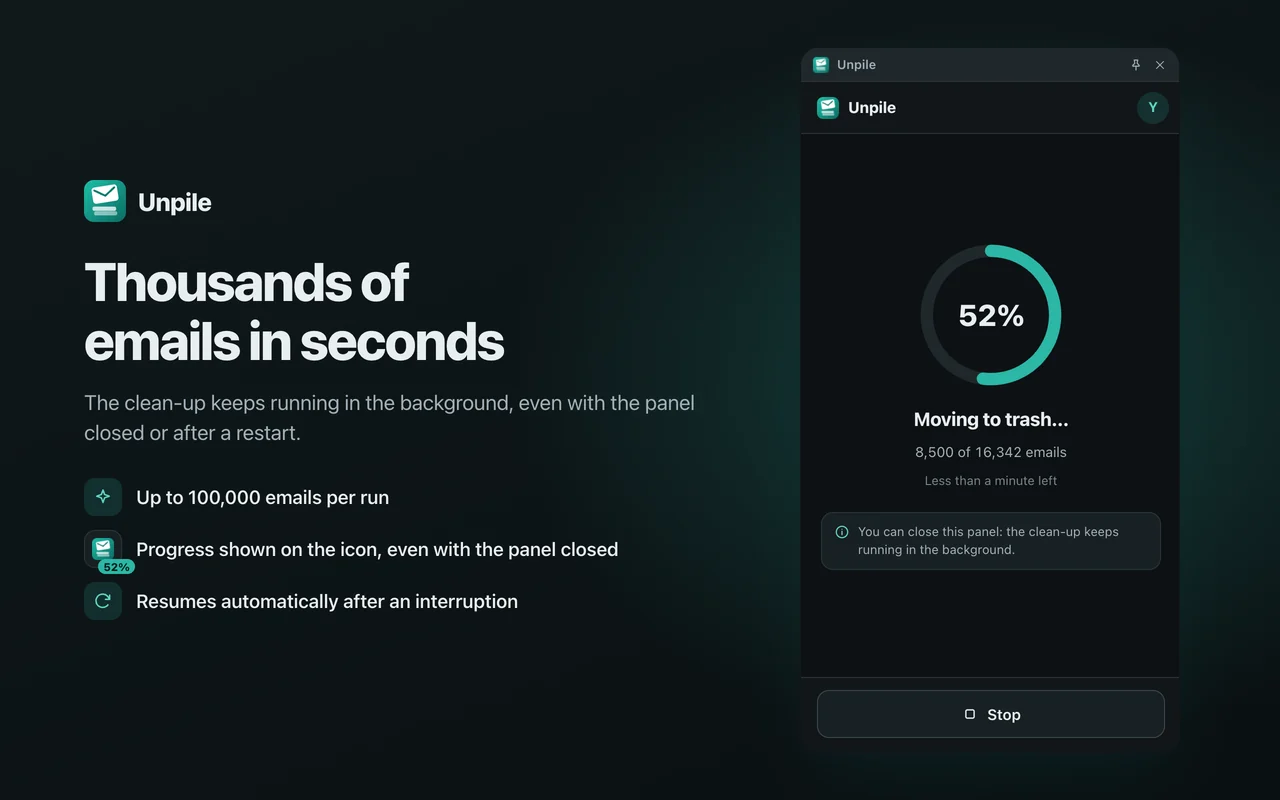
Click “Move to trash” and Unpile does the rest, thousands of emails in seconds. You can close the panel and keep browsing: the clean-up carries on.
- Percentage and time left, live
- Keeps going with the panel closed, even if Chrome restarts
- The badge on the Unpile icon shows the progress
-
Changed your mind?
Undo puts everything back
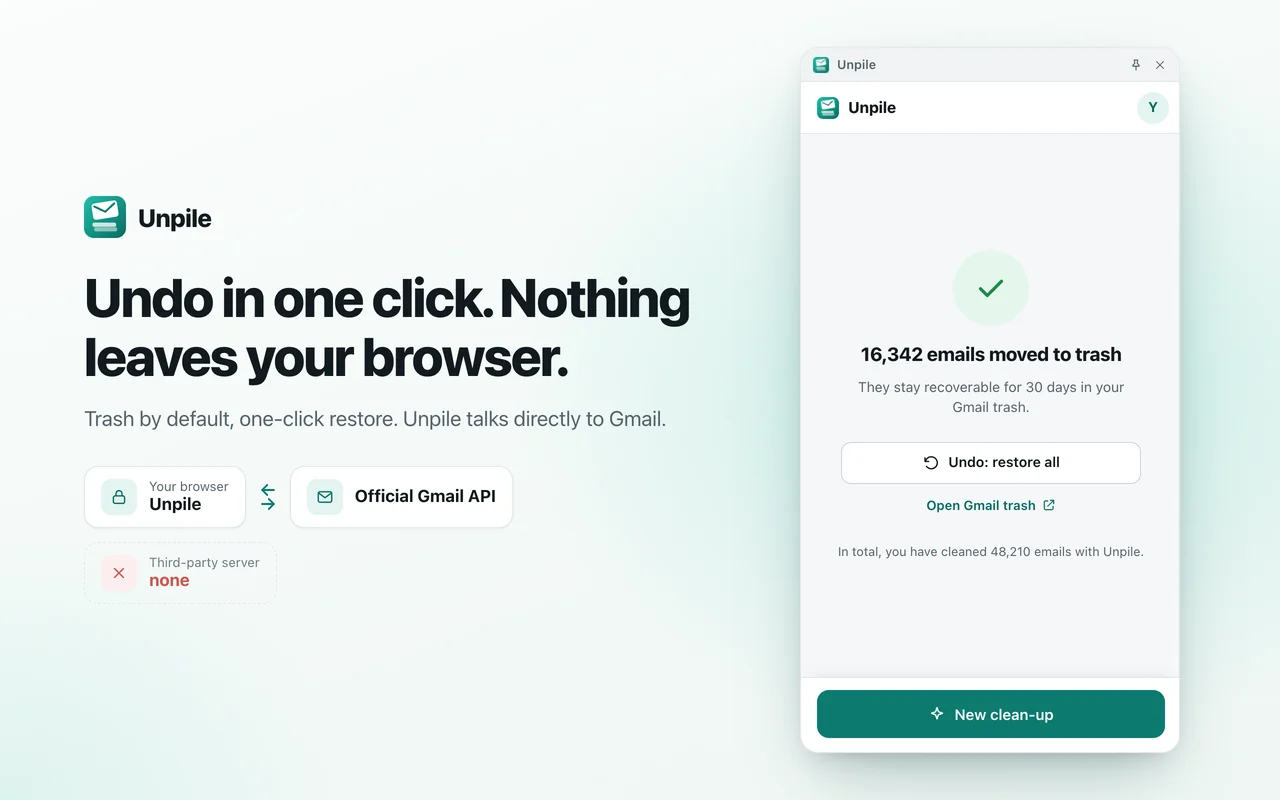
Emails go to your Gmail trash, where they stay recoverable for 30 days. One click on “Undo: restore all” puts them back exactly where they were.
Want them gone for good? “Delete forever…” skips the trash and can’t be undone, so it first asks you to type a confirmation word.
Features
Everything you need to clear the pile
Simple enough for a two-click clean-up, precise enough for years of accumulated mail.
-
Filters that fit your inbox
Sender (name, address or whole domain), words in the subject, age from 1 week to 5 years, Gmail category, with or without attachments, read or unread, larger than 1, 5, 10 or 25 MB.
-
Gmail search, for power users
Type any Gmail search operator in the advanced options. You can also choose to include spam and trash.
-
Only what you saw
Unpile processes exactly the emails found by your search. Emails that arrive afterwards are never touched.
-
Up to 100,000 emails per run
Enough to clear years of newsletters in one go. For an even bigger pile, simply run the clean-up again.
-
Permanent deletion, on purpose only
“Delete forever…” erases emails without going through the trash, and only after you type a confirmation word.
-
Free, for real
No ads, no paywall, no premium plan, no account to create.
Privacy
Your emails stay between you and Gmail
Unpile runs entirely in your browser and talks directly to Google’s official Gmail service. There is no Unpile server, so there is nothing to collect, store, sell or share.
Your browser
Chrome, with Unpile
Unpile serverDoesn’t exist: nothing to send it
-
What Unpile sees
The list of emails that match your search, so it can move exactly those. For the 10 emails in the preview: sender, subject, date and size. Never the content of your emails or their attachments.
-
What stays on your computer
Your last filters, the progress of a clean-up so it can resume and be undone, and a counter of cleaned emails. Removing Unpile erases them.
-
What never happens
No analytics, no cookies, no ads, no sale of data, no AI training, and nobody reading your emails.
Unpile's use and transfer to any other app of information received from Google APIs will adhere to the Google API Services User Data Policy, including the Limited Use requirements.
Read the privacy policyFAQ
Questions, answered
Can’t find your answer? Visit the support page or write to contact@gekkode.com.
Is Unpile really free?
Yes. There are no ads, no paywall, no premium plan and no account to create. Unpile is an independent project by Gekkode, and it will stay free.
Does Unpile read my emails?
No. To find emails, Unpile asks Gmail for the list of messages that match your search. To show the preview, it reads only the sender, subject, date and size of the first ten. It never opens the content of your emails or their attachments, and nothing goes anywhere but Google’s Gmail service.
Can I undo a clean-up?
Yes, as long as you used “Move to trash”, which is the default. At the end of the clean-up, “Undo: restore all” puts every email back where it was. Emails also stay in your Gmail trash for 30 days, where you can restore them from Gmail.
Only “Delete forever…” can’t be undone, which is why it asks you to type a confirmation word first.
Why does Google ask for full access to Gmail?
Deleting emails permanently requires Gmail’s full-access permission: Google offers no narrower permission that allows it. Unpile uses this access only for what you ask: finding, moving to trash, restoring and deleting the emails you selected. It never composes or sends email, and everything happens in your browser, with no Unpile server that could receive your data.
For the technically curious: the scope is https://mail.google.com/, required by the Gmail API method users.messages.batchDelete.
Why does Google show a warning when I connect my account?
While Google’s verification of Unpile is pending, Google may show a screen saying that it hasn’t verified this app yet. This is a standard step for apps that access Gmail. Check that the app name reads “Unpile” before continuing, or, if you prefer, wait until the verification is complete.
Does it work with Google Workspace accounts?
Yes, as long as your organization’s administrator allows third-party apps to access Gmail. If they don’t, Google will tell you when you connect your account, and your administrator can decide whether to allow Unpile.
Which browsers are supported?
Google Chrome on a computer. Unpile signs in through Chrome’s built-in Google account integration, which Microsoft Edge doesn’t provide, so Edge is not supported. Other Chromium-based browsers may lack it too.
How do I revoke Unpile’s access?
Click “Sign out” in the Unpile panel: Unpile asks Google to revoke its access. You can also remove it at any time from your Google Account, at myaccount.google.com/permissions. Removing the extension from Chrome erases everything it stored on your computer.
Give your inbox some air.
Free, private and undoable. Two clicks are enough.